


I played slots and live blackjack on my phone through the mobile-browser site, not a downloaded app. Its bottom bar links Menu, reward, Casino, Search and Chat, while the Vault keeps its 12:00 and 00:00 UTC schedule.







A browser site rather than a download
Sir Betalot has no native iOS or Android app in the App Store or Google Play. The mobile product is the casino website, optimised for mobile browsers. I opened it in Safari on an iPhone and Chrome on an Android phone; both gave me the familiar account and game lobby without an installation step. That distinction matters: the shortcut is a convenient way back to the site, not a separate program with offline games.
I chose the browser route because it let me move directly from the lobby to a game and back to account features. The same account is available on phone and desktop. Login and Register appear at the top, while the compact navigation sits along the bottom. For an app-like entry point, I saved the site to my home screen using the browser’s own option.
What the shortcut does
A home-screen shortcut stores a link to Sir Betalot. Tapping it opens the mobile website in a browser; it does not create a new account, bypass login or keep games available without internet access. I found that straightforward once I treated it as a bookmark with a more visible place on the phone.
Five tabs for everyday navigation
The bottom bar contains Menu, reward, Casino, Search and Chat. On a narrow display, those direct destinations are more useful to me than a long desktop-style sidebar. Casino takes me to the lobby, Search is the fast route to a known title, and Chat opens the support route. Menu gathers broader sections, while reward is the shortcut to loyalty activity.
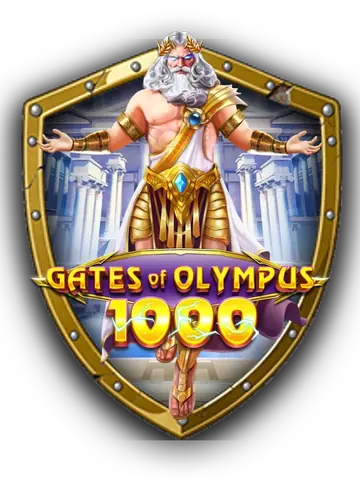
During my sessions, I used Search to find Gates of Olympus 1000, then Casino to return to the lobby after a few rounds. On a separate visit I went through Menu to browse other parts of the site. The bar remained part of the mobile layout as I moved between sections, so I did not need to repeatedly scroll back to the top to locate the main navigation.
| Mobile control | What I used it for |
|---|---|
| Menu | Open wider site sections, including promotions and sportsbook |
| Reward | Reach loyalty and reward areas |
| Casino | Return to the casino lobby |
| Search | Find a particular game by name |
| Chat | Contact the 24/7 support team |
Save it to your home screen
On my iPhone I opened the site in Safari, used the share menu and chose the Add to Home Screen action. On Android I opened Sir Betalot in Chrome and used its Add to Home Screen option. Browser menus can change their wording, but the key point is the same: save the website link rather than searching for an app-store listing that does not exist.
- Open Sir Betalot in Safari or Chrome and let the mobile page load.
- Open the browser’s share or options menu and choose its home-screen shortcut action.
- Name the shortcut if prompted, then tap it later to reopen the site.
I put the shortcut beside other sites I use often. When I tapped it, I still had a browser-based session and the same login controls. A slow or stale page is still a webpage, so reopening it can refresh what is displayed; account access problems can also be handled through Forgot Password or support.
My phone sessions and the Vault
My first phone session began with a 100 USDT deposit. I played Gates of Olympus 1000, then switched to live blackjack, using the bottom navigation to return to Casino between activities. I had a further session around a Vault opening and used the reward tab to collect what was available. The Vault opens twice daily, at 12:00 UTC and 00:00 UTC, so I paid attention to UTC rather than assuming the opening followed my local clock.
The Moneyback system is part of the mobile experience, not an app-only feature. Up to 40% Moneyback is described as rakeback, cashback and Crowns, and the rewards are wager-free. The Vault may hold daily cashback, Crowns or surprise drops. Rakeback is offered in instant, daily, weekly or monthly forms. I liked having the reward destination close to the lobby, although the exact contents depend on account activity and the reward itself.
My sessions were practical rather than marathon-length: find a game, play, return to the lobby, and check the reward area when the Vault schedule made it relevant. A mobile screen is well suited to that routine, but it does not change the reward rules or UTC timing. The cashier and account areas are also browser pages, so I used the same account details I would use on a computer.
Casino games on a small screen
The catalogue contains more than 13,000 games from over 110 studios. On a phone I could use Search when I had a title in mind or browse the available categories through the site. I played Gates of Olympus 1000, listed with a 96.50% RTP, and noted Big Bass Bonanza at 96.71%. Those published game figures are title-specific, not a prediction of what will happen in any individual session.
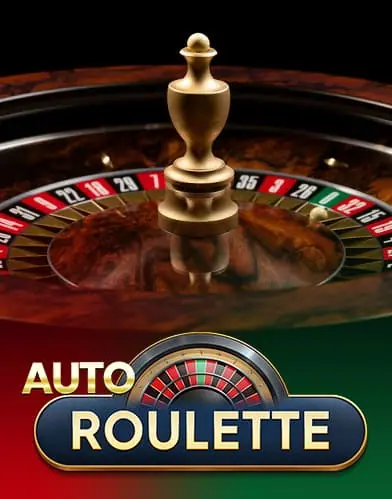
The range is broader than slots. Sir Betalot lists live options such as Mega Wheel, Sweet Bonanza CandyLand, Dragon Tiger and Auto Roulette. The operator’s own Sir Betalot Originals include Darts, Blackjack, Mines, Hilo and Plinko. I used live blackjack during my phone session and returned to the lobby through Casino. The sportsbook is also available from the site, so the browser experience is not limited to casino games.
On a phone, the Search route is especially handy for titles already on my mind; browsing long rows can take more scrolling. I found the compact menu useful for reaching other areas, while Search kept the game hunt direct. I would not confuse a phone-friendly layout with a different library: the mobile route is the website presented for a smaller screen.
Login and account security
I used the same email and password as on desktop. Registration is available by email and password, with a Google sign-up option, and the Login button is in the top bar. If a password slips my mind, Forgot Password sends a reset link by email. Two-factor authentication is available in security settings. Those account tools remain relevant whether I enter from a saved shortcut or type the site address into a browser.
When the page appears to be stuck, I first reopen the site rather than assuming the shortcut is broken. If I still cannot sign in, the password reset route or 24/7 live chat is available. Support can also be reached at [email protected]. The bottom Chat tab keeps that route close at hand. I did not need a different mobile password or a separate app account.
“I saved the site as a shortcut, but kept using the browser and my usual account. Search and the reward tab were the two controls I reached for most.”
— Frank Op de Woerd
The Realm follows the account
Mobile access connects to The Realm loyalty system. Acts of Valour earned through bets determine progress through eight ranks: Peasant, Footman, Yeoman, Warden, Lord, Mage, King and Immortal. New accounts play at King tier for their first seven days. Progress does not reset, and the Vault balance carries over. As a result, the loyalty account is the same whether I play in a phone browser or on a larger screen.
Crowns are Realm currency, earned through deposits and wagers, daily and weekly Getalot quests, and tournaments. They can be spent in the Merchant’s Keep on listed rewards such as free spins, bonus buys, loot boxes and perks; new rewards arrive weekly. The Vault schedule is a useful time cue on mobile: check at 12:00 UTC or 00:00 UTC when a collection is due, rather than expecting the phone itself to send a store-app notification.
For other details, the VIP Realm page covers tiers and loyalty. The login page explains account access, and the payments page covers deposits and withdrawals. The mobile page itself remains focused on browser access and phone navigation.
A familiar route on iPhone and Android
On iPhone, Safari gave me the site and its home-screen shortcut; on Android, Chrome did the same. A friend in Cork tends to use an iPhone browser for quick visits, while a friend in Halifax usually opens casino sites in Chrome on Android. Neither habit requires a native Sir Betalot download. I did not attribute wins or special results to either friend; their preference is simply a matter of which phone and browser they already use.
What worked for me was keeping the route simple: shortcut to the browser site, Casino for the lobby, Search for a title and Chat if I needed assistance. The reward tab made the Vault easier to reach without changing the twice-daily UTC schedule. The site is operated by May Sun Services SRL, registered in San José, Costa Rica, and licensed by the Government of the Autonomous Island of Anjouan under Licence No. ALSI-1423 l 1005-FI2. It is for adults aged 18 and over.
To explore the welcome offer, use the bonus page; for the main site, visit Sir Betalot casino. The phone route is the same online service arranged for mobile browsers: no store installation, no separate account and no offline casino mode.
Player discussion
Added the site to my iPhone home screen. It is still Safari, but the shortcut makes it quick to reopen.
The bottom tabs are handy, especially Search. I expected an app download at first, so the browser-only setup surprised me.
I had a login page hang once in Chrome and needed to reopen the tab. Chat was easy enough to find afterwards.
I had a similar stale page; reopening it got me back to the lobby.
The reward tab is useful, but remember the Vault times are UTC. My local clock is not the schedule.
The shortcut opens the same mobile browser layout I was already using. Search is easy to reach.
No app-store install, which is fine once I understood it is a website. Login and Casino are straightforward.
Good compact navigation, though a slow browser tab can mean I have to reload the page. Support chat is there.
Frequently asked questions
Is there an official Sir Betalot app for iPhone or Android?
No separate native app is offered in the App Store or Google Play. Sir Betalot describes its service as optimised for mobile browsers, including Safari on iPhone and Chrome on Android. You can save a website shortcut to your home screen.
How do I add Sir Betalot to my home screen on iPhone?
Open the site in Safari and use the share menu to choose Add to Home Screen. The shortcut is a link that reopens the mobile website in the browser. It does not install an offline casino client.
How do I create a shortcut on Android?
Open Sir Betalot in Chrome and select Add to Home Screen from the browser options. Tapping the saved shortcut returns you to the site; login and account security remain the same as in a regular browser visit.
What are the five bottom tabs?
The mobile bar lists Menu, reward, Casino, Search and Chat. Casino returns to the lobby, Search finds a named title and Chat opens support, while Menu and reward lead to wider site and loyalty areas.
Can I use my desktop account on my phone?
Yes. The mobile browser uses the same account, with Login in the top bar. Forgot Password is available by email, Google sign-up is offered for registration, and two-factor authentication can be enabled in security settings.
Does the mobile site include the Vault?
The mobile site connects to the same Realm loyalty features. The Vault opens at 12:00 UTC and 00:00 UTC, and may contain daily cashback, Crowns or surprise drops. Moneyback rewards are described as wager-free.
Can I play without an internet connection?
No. The shortcut opens the website, and games and account functions require an internet connection. It is not a downloaded app or an offline game library.
How can I contact support from a phone?
Use the Chat tab for the 24/7 live chat, or email [email protected]. The same support routes are available whether you enter through a home-screen shortcut or directly in the browser.